Learn what version control is, how Git works, and how developers track code changes, collaborate on projects, manage branches, and restore earlier versions.
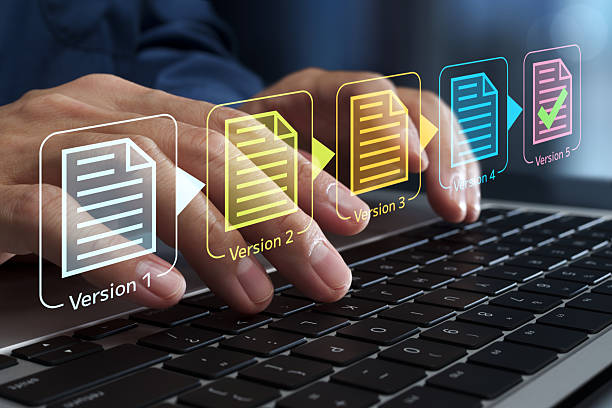
When writing code, building a website, or working on a shared project, small changes can cause unexpected problems. Without a reliable way to track those changes, it can be difficult to understand what went wrong or restore an earlier version. Version control solves this problem by recording changes to files over time.
One of the most widely used tools for this purpose is Git. Understanding version control and Git explained for beginners can help new developers manage projects, collaborate with others, and work more confidently.
What Is Version Control?
Version control is a system for tracking changes to files over time. It allows users to review previous versions, identify what changed, and restore earlier states when necessary.
Although version control is commonly associated with software development, it can also manage documentation, configuration files, and other text-based projects.
There are two broad approaches:
- Centralized version control: A shared central server stores the main repository and its history.
- Distributed version control: Each clone of a repository contains the project’s history, allowing users to work locally and synchronize changes later.
Git is a distributed version control system.
What Is Git and How Does It Work?
Git is a free, open-source version control system originally created by Linus Torvalds. It records project history through commits, which are snapshots of tracked project content at particular points in time.
A Git repository, or repo, contains project files and the information Git uses to track their history. Developers can work on their own computers without needing a constant internet connection.
A typical Git workflow looks like this:
- Create or clone a repository: Start a project or download an existing repository.
- Edit files: Write code, fix bugs, or update documentation.
- Stage changes: Select the changes to include in the next commit.
- Commit changes: Save a recorded snapshot with a message describing the work.
- Share changes: Push commits to a remote repository or exchange them with collaborators.
For example, a developer fixing a website’s navigation might commit that change separately from a later update to its design. This creates a clearer history that is easier to review and maintain.
What Are Git Branches?
A branch provides a separate line of development within a repository. Developers can create branches to work on new features, bug fixes, or experiments without immediately changing the main development branch.
Once the work is ready, changes can be merged into another branch. If two people modify overlapping parts of a file, Git may report a merge conflict, which must be resolved before the changes can be combined.
Branches help teams organize work and review changes before integrating them into a shared project.
Git vs GitHub: What Is the Difference?
Git and GitHub are related, but they are not the same thing.
- Git is the version control software that tracks changes and manages project history.
- GitHub is an online platform for hosting Git repositories and collaborating through features such as pull requests, code reviews, and issue tracking.
Git can be used without GitHub. Developers can keep repositories locally or use other hosting services, including GitLab and Bitbucket.
Why Is Version Control Important?
Version control offers practical benefits for individuals and teams:
- Change tracking: See what changed and when, along with commit history.
- Recovery: Restore earlier versions or investigate when a problem appeared.
- Collaboration: Let multiple developers work on the same project with a structured process.
- Experimentation: Use branches to test ideas without immediately affecting the main codebase.
- Accountability: Review commits to understand how a project developed.
However, version control is not a complete backup strategy. A local Git repository can be lost if its device fails, so important projects should also have appropriate backups or remote copies.
How Can Beginners Start Using Git?
Beginners can download Git from its official website and practise with a small project. Start by learning five basic commands:
git init— create a repository.git status— check the current state of files.git add— stage changes.git commit— record staged changes.git log— view commit history.
You can then learn branching, merging, and remote repositories as your projects grow.
Conclusion
Version control helps developers track changes, preserve project history, and collaborate more effectively. Git makes this possible through repositories, commits, and branches, while platforms such as GitHub add online collaboration tools.
For anyone learning software development, understanding Git is a practical first step toward building projects that are easier to manage, review, and maintain.
External Sources/Links
-
Git OfficialDocumentation — Official documentation, tutorials, and reference material for learning Git.
Pro Git Book: About VersionControl—Explainsversioncontrolfundamentalsandwhytrackingprojecthistorymatters.
ExplainsGit,repositories,andhowGitworkswithGitHub
FAQs
1. What is version control in simple terms?
Version control records changes to files over time, allowing users to review earlier versions, track edits, and restore previous states when necessary.
2. Is Git the same as GitHub?
No. Git is version control software that tracks changes to files. GitHub is an online platform that hosts Git repositories and provides collaboration features such as pull requests and code reviews.
3. Is Git free to use?
Yes. Git is free, open-source software that can be downloaded and used on supported operating systems.
4. What is a Git commit?
A commit records a snapshot of the staged changes in a repository, along with information such as the author, date, and commit message.
5. Do beginners need to learn Git?
Git is valuable for anyone learning software development because it helps track changes, manage experiments, and collaborate on projects. Beginners can start with basic commands and learn more advanced workflows over time.