Use this Smart TV Buying Guide to compare screen resolution, display technology, HDR, sound, smart features, connectivity, and price before buying.
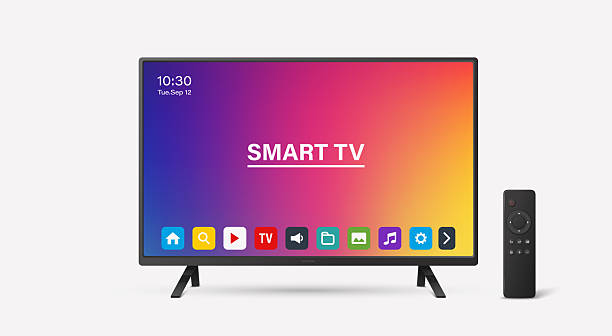
Buying a new television is no longer just about choosing a screen size. Modern smart TVs offer different display technologies, resolutions, operating systems, streaming services, and connectivity options. With so many choices available, understanding the important features can help you avoid spending money on specifications you may never use.
This Smart TV Buying Guide: Features to Check Before Buying explains what to look for when selecting a television for your home, whether you want to watch movies, stream online content, play games, or enjoy everyday entertainment.
1. Choose the Right Screen Size
Screen size is one of the first things to consider when buying a smart TV. The right size depends on your room dimensions, viewing distance, and personal preference.
Common television sizes include 32, 43, 50, 55, 65, and 75 inches.
Consider the following:
- 32–43 inches: Suitable for smaller rooms, bedrooms, and limited spaces.
- 50–55 inches: A practical choice for many living rooms.
- 65 inches and above: Worth considering for larger rooms and immersive viewing.
Remember that a larger television is not automatically better. Check the viewing distance and available wall or furniture space before purchasing.
2. Check Screen Resolution
Resolution determines how many pixels make up the displayed image. More pixels can provide sharper details, particularly on larger screens.
The most common options are:
- HD (720p): Suitable for basic viewing on smaller screens.
- Full HD (1080p): Offers better detail than HD.
- 4K Ultra HD (2160p): Provides four times the pixel count of Full HD.
- 8K: Offers higher resolution than 4K but has limited practical value for many households because compatible content remains less common.
For most buyers looking for a modern television, 4K is a sensible option. However, screen quality, viewing distance, and content availability also affect the experience.
3. Understand Display Technologies: LED, QLED, and OLED
Display technology affects picture quality, brightness, contrast, and colour reproduction.
LED TVs: These use an LCD panel with LED backlighting. They are widely available across different price categories.
QLED TVs: These use quantum-dot technology to improve colour performance and can deliver high brightness. Most consumer QLED televisions are still LCD-based displays.
OLED TVs: These use self-emissive pixels, meaning individual pixels produce their own light. This allows deep blacks and excellent contrast, making OLED particularly appealing for movie viewing.
There is no single technology that suits everyone. Compare brightness, contrast, viewing angles, room lighting, and price before deciding.
4. Look for HDR Support
High Dynamic Range (HDR) improves the presentation of compatible content by expanding the range of brightness, contrast, and colour.
Common HDR formats include:
- HDR10
- HDR10+
- Dolby Vision
- HLG (Hybrid Log-Gamma)
However, simply seeing an HDR logo does not guarantee impressive picture quality. The television’s actual brightness, contrast performance, and colour reproduction matter.
Check which HDR formats the TV supports and whether your preferred streaming services provide compatible content.
5. Check the Smart TV Operating System
A smart TV operating system provides access to applications, streaming platforms, settings, and connected services.
Popular platforms include:
- Google TV: Offers a content-focused interface and access to supported Google Play applications.
- Android TV: Provides access to compatible Android TV applications and Google services.
- Samsung Tizen: Samsung’s smart TV platform.
- LG webOS: LG’s smart TV operating system.
- Amazon Fire TV: Provides access to supported streaming applications and Amazon services.
Before buying, check whether the applications you regularly use are available in your country. Also consider interface responsiveness, software update support, and ease of navigation.
6. Consider Refresh Rate and Gaming Features
Refresh rate, measured in hertz (Hz), indicates how many times a display refreshes its image each second.
A 60Hz television is sufficient for everyday television and movie viewing. A 120Hz display can provide smoother motion, particularly for supported games and high-frame-rate content.
Gamers should also look for:
- Variable Refresh Rate (VRR).
- Auto Low Latency Mode (ALLM).
- HDMI ports supporting the required resolution and refresh rate.
- Low input lag for responsive gameplay.
Check the specifications of individual HDMI ports rather than assuming every port supports all advertised features.
7. Evaluate Sound Quality and Connectivity
A television’s built-in speakers may be sufficient for everyday viewing, but a soundbar or external audio system can provide a more immersive experience.
Look for HDMI ARC or eARC support when connecting compatible audio equipment.
Other useful connectivity features include:
- Wi-Fi for internet access and streaming.
- Bluetooth for compatible wireless devices.
- USB ports for supported external storage and accessories.
- Ethernet for wired network connections.
- Multiple HDMI ports for gaming consoles, streaming devices, and set-top boxes.
8. Check Price, Warranty, and After-Sales Service
Before purchasing, compare prices across authorised retailers and check the manufacturer’s warranty conditions.
For buyers in Nepal, verify whether the television is officially distributed, whether authorised repair services are available, and whether the warranty covers the display panel and other major components.
Also consider electricity consumption, installation costs, wall-mount compatibility, and delivery charges when calculating the total purchase cost.
Conclusion
Choosing the right television requires balancing display quality, screen size, smart features, connectivity, and budget. This Smart TV Buying Guide: Features to Check Before Buying highlights the specifications that deserve attention before making a purchase.
Rather than choosing a television based only on its brand or screen size, compare its real-world picture quality, supported applications, gaming capabilities, warranty, and long-term usability. A carefully selected smart TV can provide a better entertainment experience without unnecessary spending.
External Sources/Links
These authoritative resources provide additional technical information:
-
HDMI Official Website: HDMI Specifications and Features – Information about HDMI, eARC, VRR, ALLM, and supported display capabilities.
-
VESA DisplayHDR: DisplayHDR Standards – Explains HDR performance levels and certification.
-
Microsoft Support: Understanding HDR Technology – Explains HDR requirements and display compatibility.
-
HDMI Forum: HDMI 2.1Features – Details gaming features and display capabilities.
FAQs
1. Which resolution is best when buying a smart TV?
4K Ultra HD is a practical choice for most modern televisions. It provides sharp images and supports a wide range of available streaming content.
2. Which is better, OLED or QLED?
OLED offers excellent contrast and deep blacks, while QLED televisions can provide high brightness and vibrant colours. The right choice depends on your room lighting, viewing habits, and budget.
3. Is a 60Hz or 120Hz smart TV better?
A 60Hz TV is sufficient for regular television and movie viewing. A 120Hz TV can provide smoother motion and is particularly useful for compatible gaming consoles and high-frame-rate content.
4. Do all smart TVs support Netflix and YouTube?
No. Application availability depends on the TV’s operating system, model, region, and software support. Check whether your preferred applications are supported before purchasing.
5. What should I check before buying a smart TV in Nepal?
Check the official warranty, authorised service availability, screen resolution, display technology, operating system, supported streaming applications, connectivity, and final retail price.