Learn how to choose a monitor for work, gaming or content creation by comparing resolution, refresh rate, panel type, color, ports and ergonomics.
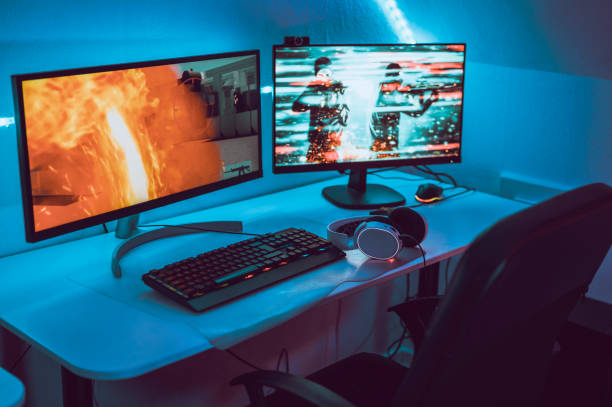
Choosing a Monitor for Work, Gaming or Content Creation is less about buying the most expensive display and more about matching its specifications to your workload. Resolution, screen size, refresh rate, panel technology, color performance and connectivity can all affect how comfortable and productive your setup feels.
Whether you are buying a monitor for office work, competitive gaming, programming, photo editing or video production, start with what you actually do on the screen.
What Should You Look for in a Monitor?
Resolution and screen size
Resolution determines how many pixels a monitor displays. Higher resolutions generally provide a sharper image and more workspace, although they also place greater demands on the computer’s graphics hardware.
For everyday work, programming and productivity, 1440p (2560×1440) is a useful middle ground between Full HD and 4K. A 4K (3840×2160) monitor can provide greater pixel density and workspace, particularly on larger screens.
Screen size matters too. Larger displays can make multitasking easier, while smaller screens may be more practical for compact desks.
Refresh rate
Refresh rate, measured in hertz (Hz), describes how many times per second the display can update its image.
A higher refresh rate can make scrolling, cursor movement and games appear smoother. For gaming, look for a monitor with a refresh rate appropriate to the games and graphics hardware you use. VESA’s Adaptive-Sync certification provides a standardized way to assess variable-refresh-rate performance, including refresh rate, response behavior and other factors.
For office work, refresh rate is generally less important than resolution, ergonomics and text clarity.
Panel technology
Most modern monitors use IPS, VA or OLED panels.
-
IPS: Generally a strong choice for productivity and content creation because of viewing angles and consistent image quality.
-
VA: Often provides strong contrast, making it useful for movies and gaming.
-
OLED: Offers excellent contrast and very fast pixel response, but potential image-retention considerations make the specific model and usage pattern important.
Panel technology alone does not guarantee accurate colors or excellent motion performance, so check independent measurements when color or gaming performance is critical.
Choosing a Monitor for Gaming
Gaming monitors should be evaluated as a combination of resolution, refresh rate, response performance and variable refresh rate (VRR).
A high-refresh-rate display is useful only if your computer or console can produce enough frames to benefit from it. VRR technologies can synchronize the display’s refresh behavior with the graphics output, helping reduce visible tearing and stutter.
Also check the monitor’s actual input capabilities. HDMI 2.1, for example, supports high-bandwidth formats including 4K at 120 Hz, while newer HDMI 2.2 expands the specification further.
Choosing a Monitor for Work
For office tasks, programming, research and spreadsheets, prioritize text clarity, resolution, screen size and ergonomics.
A height-adjustable stand, tilt adjustment and VESA mounting support can make a noticeable difference during long work sessions. USB-C connectivity can also be valuable for laptop users, particularly when a monitor can carry video, data and power through a compatible connection.
Ultrawide monitors can be useful for multitasking, while two conventional monitors may offer greater flexibility depending on your workspace.
Choosing a Monitor for Content Creation
Content creators should pay particular attention to color gamut, color accuracy, bit depth, brightness and HDR performance.
Do not treat an HDR label as proof of professional HDR performance. VESA’s DisplayHDR program provides defined performance requirements covering areas such as luminance, color gamut and bit depth, making certified levels more meaningful than vague HDR marketing.
For professional photo or video work, also consider whether the monitor supports the color spaces required by your workflow, such as sRGB, Display P3 or Adobe RGB.
A Simple Way to Choose
Before buying, make a short checklist:
-
Work: prioritize resolution, text clarity, ergonomics and connectivity.
-
Gaming: prioritize refresh rate, VRR, response performance and suitable inputs.
-
Content creation: prioritize color accuracy, gamut, resolution and HDR capability.
-
Mixed use: choose balanced specifications rather than maximizing one feature.
Conclusion
The right Monitor for Work, Gaming or Content Creation depends on your computer, software, desk and priorities. Instead of focusing on a single specification, compare resolution, refresh rate, panel technology, color performance, connectivity and ergonomics as a complete package.
If you choose a Monitor for Work, Gaming or Content Creation based on your actual workload, you are more likely to get a display that remains useful for years rather than simply paying for specifications you rarely use.
External Sources/Links
FAQs
Is 4K better than 1440p for a monitor?
Not always. 4K provides more pixels, but 1440p can offer a useful balance of image sharpness, workspace and graphics performance.
What refresh rate should a gaming monitor have?
It depends on your games and hardware. A higher refresh rate can provide smoother motion, but your system needs to produce enough frames to benefit from it.
Is IPS or OLED better for content creation?
Both can be suitable. Look beyond panel type and check measured color accuracy, color gamut, brightness and HDR performance for your particular workflow.
Do I need HDR for office work?
No. HDR is generally more relevant to compatible games, movies and content-creation workflows than ordinary office applications.