Discover what USB4 is, how it works, its data transfer speeds, USB-C compatibility, key benefits, and what to check before buying a USB4 device.
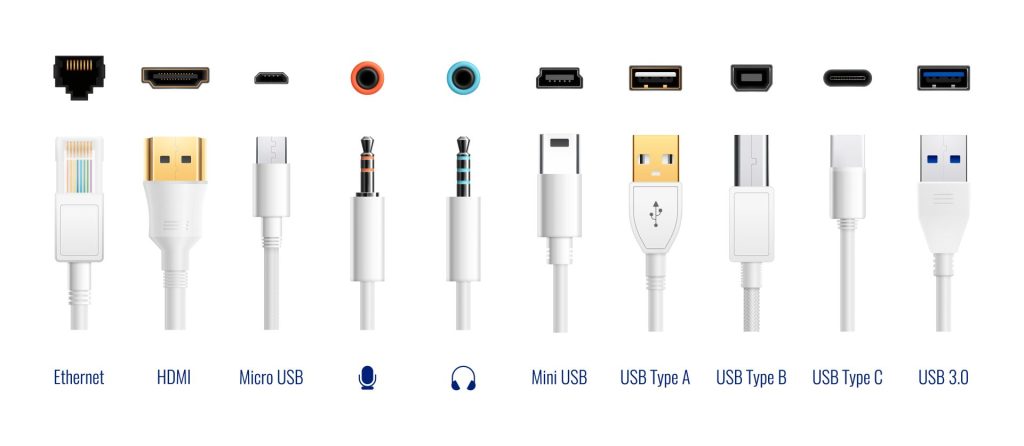
USB4 is a modern connectivity standard designed to deliver faster data transfers, improved display support, and more efficient communication between devices. It builds on earlier USB technologies while introducing a more flexible way to handle data and video over a single connection.
For everyday users, USB4 can mean faster file transfers, better support for high-resolution displays, and simpler connections for laptops, external storage, and docking stations. However, its capabilities depend on the devices and cables being used.
What Is USB4?
USB4 is a connectivity specification developed by the USB Implementers Forum (USB-IF), the organization responsible for developing and maintaining USB standards. Introduced in 2019, it builds on earlier USB architectures and incorporates technology based on Intel’s contributed Thunderbolt protocol specification.
Unlike a physical connector, USB4 defines how compatible devices communicate and share bandwidth. It uses the USB Type-C (USB-C) connector, the small, reversible port found on many modern laptops, smartphones, tablets, and accessories.
USB4 also supports backward compatibility with earlier USB standards, including USB 3.2 and USB 2.0. Compatibility with Thunderbolt 3 is supported by the specification, although actual interoperability depends on the devices and their implementations.
How Does USB4 Work?
USB4 uses a high-speed connection to carry different types of traffic, including data and display signals. Its architecture can dynamically allocate available bandwidth to supported protocols, helping devices use the connection more efficiently.
For example, a compatible laptop connected to a USB4 docking station could transfer files to an external drive while sending video to a monitor through the same connection.
USB4 supports multiple performance levels:
- 20 Gbps: Supported by USB4 implementations using the 20 Gbps mode.
- 40 Gbps: Available on compatible USB4 devices and cables.
- Up to 80 Gbps: Enabled by USB4 Version 2.0, depending on the implementation and equipment.
Gbps means gigabits per second, a measure of data-transfer capacity. These figures represent maximum signaling bandwidth, not guaranteed file-transfer speeds. Real-world performance depends on factors such as storage hardware, system capabilities, cable quality, and protocol overhead.
Key Features of USB4
Faster Data Transfers
USB4 can significantly reduce transfer times when paired with compatible high-speed storage and host devices. This is particularly useful for professionals handling large video files, developers working with substantial datasets, and users moving backups between drives.
Display Connectivity
USB4 can carry display traffic alongside other data. This makes it useful for connecting compatible monitors and docking stations, although supported resolutions, refresh rates, and the number of displays depend on the hardware configuration.
USB-C Connectivity and Power
USB4 uses the reversible USB-C connector, which can support data, video, and power delivery. However, USB4 does not automatically guarantee a particular charging wattage or every USB-C feature. Charging capabilities depend on the device, cable, and supported USB Power Delivery implementation.
Improved Device Compatibility
USB4 supports interoperability with earlier USB technologies, with connections operating at the best mutually supported capability. This helps users connect newer equipment to older accessories, although performance may be limited by the older device or cable.
USB4 vs USB 3.2: What Is the Difference?
The main difference is bandwidth and connection architecture. USB4 supports up to 40 Gbps in its original generation, with Version 2.0 extending the maximum to 80 Gbps. USB 3.2 has multiple performance levels, reaching up to 20 Gbps.
USB4 also introduces more flexible sharing of bandwidth across supported data and display protocols. Nevertheless, a USB4 port is not automatically faster for every task: the connected device and cable must support the relevant performance level.
What Should You Check Before Buying USB4 Devices?
Before purchasing a laptop, external SSD, docking station, or cable, check the manufacturer’s specifications for:
- Supported speed: Confirm whether the port supports 20, 40, or 80 Gbps.
- Cable capability: A USB-C connector alone does not guarantee USB4 speeds.
- Display support: Check supported monitor resolutions and refresh rates.
- Charging power: Verify the maximum supported power delivery.
- Compatibility: Confirm support for your existing devices and accessories.
These checks are particularly useful when comparing laptops and accessories in Nepal or international markets, where products with similar-looking USB-C ports can offer different capabilities.
Conclusion
USB4 represents an important step in understanding the new generation of USB connectivity, combining high-speed data transfer with flexible display and device connectivity. Its benefits are most noticeable when the host device, peripheral, and cable all support the same performance level.
For buyers, the key is to look beyond the USB-C connector and verify the actual USB4 specifications. Doing so helps ensure that the equipment delivers the speed, display support, and charging capabilities needed for everyday work and demanding professional tasks.
External Sources/Links
-
USB-IF: Official USB4 Overview — Architecture, backward compatibility, and bandwidth capabilities.
-
USB-IF: USB4 Version 2.0 Specification — Official specification documentation.
-
Intel: Thunderbolt 4 vs. USB-C — Explains connector differences and compatibility.
-
USB-IF: Cables andConnectors — Information about USB-C cables and their performance markings.
FAQs
1. Is USB4 the same as USB-C?
No. USB4 is a connectivity standard that defines data communication capabilities, while USB-C is the physical connector. A USB-C port does not necessarily support USB4.
2. What is the maximum speed of USB4?
USB4 Version 2.0 supports up to 80 Gbps of signaling bandwidth. Actual performance depends on the device, cable, and implementation.
3. Is USB4 backward-compatible with older USB devices?
Yes. USB4 supports earlier USB standards, including USB 3.2 and USB 2.0. The connection operates according to the capabilities supported by the connected devices and cable.
4. Does USB4 support charging?
USB4 uses USB-C, which can support power delivery. However, the charging speed and maximum wattage depend on the device, cable, and supported charging specifications.
5. Is USB4 worth considering when buying a laptop?
Yes, particularly if you regularly transfer large files, use high-resolution monitors, or connect docking stations. Check the laptop’s advertised USB4 speed, display capabilities, and charging support before purchasing.